PSER Online Registration 2026: How to Apply in Punjab

PSER online registration allows families in Punjab to provide their household information for the Punjab Socio-Economic Registry. The Government of Punjab uses this information to identify households that may qualify for financial assistance and other welfare programs.
The official PSER website is pser.punjab.gov.pk. Applicants can also seek assistance through government registration centers and the provincial helpline.
New online registration availability for October 2026 has not been confirmed. Applicants should check with the official helpline, 0800-02345, before starting a new application.
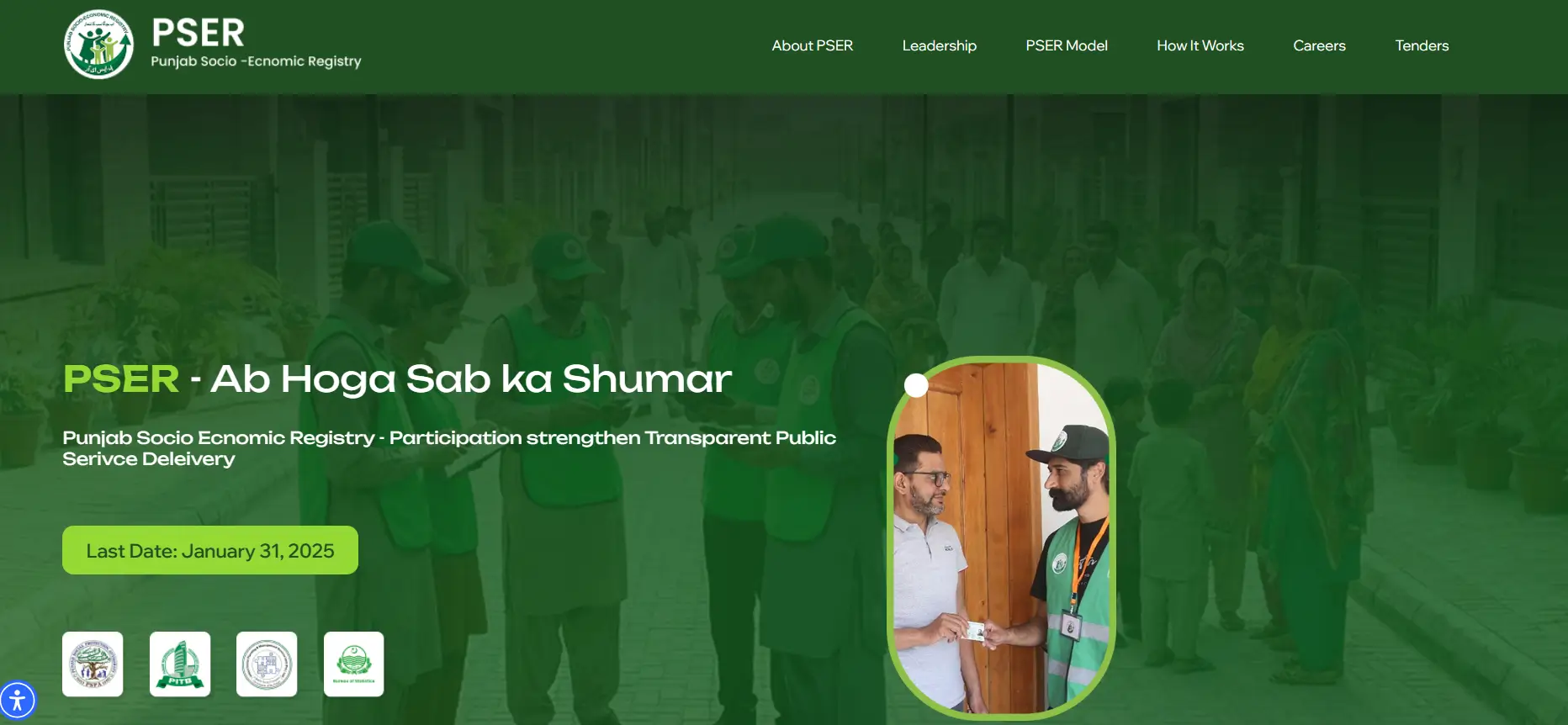
What is PSER?
PSER stands for Punjab Socio-Economic Registry. It is a household survey program introduced by the Government of Punjab to collect information about the living conditions and financial circumstances of families across the province.
The survey records details such as household income, employment, education, family size, housing conditions, agricultural land, and other assets.
Government departments can use this information when assessing applications for social welfare programs. Some programs have their own eligibility requirements and application procedures.
The Punjab government established approximately 5,000 registration centers to support the survey.
Is PSER online registration open in 2026?
The Punjab government has previously offered PSER registration through an online portal, designated registration centers, and household surveys.
However, a new online application window for October 2026 could not be verified. The online registration process described below reflects the government’s published instructions and may only be available when registration is active.
Before applying, visit the official PSER website or call 0800-02345 to confirm the current registration arrangements.
Who can register for PSER?
The PSER survey was established to collect household information from residents of Punjab, particularly families who may need government assistance.
Households that may benefit from having their information recorded include:
- Families with low or irregular income.
- Unemployed individuals and their households.
- Widows and families supporting orphaned children.
- Households with elderly members or people with disabilities.
- Families experiencing financial difficulties.
- Agricultural households and small farmers.
PSER registration records household circumstances. Eligibility for a particular government scheme depends on that scheme’s rules, including any income, asset, or household assessments.
Documents and information required for PSER registration
Prepare your household information before starting the application.
| Document or information | Purpose |
|---|---|
| CNIC of the family head | Identifying the main applicant |
| CNICs of adult family members | Recording household members |
| Children’s B-Forms, where applicable | Recording children’s identity details |
| Active mobile number | Account registration and communication |
| Email address | Online account creation and recovery, where required |
| Current and permanent addresses | Confirming household location |
| Employment and income details | Recording financial circumstances |
| Housing, land, and asset information | Completing the household survey |
The official Punjab registration instructions also cover health conditions, education, agriculture, drinking water, sanitation, and access to utilities.
Applicants should enter accurate information and keep their identity documents available when completing the form.
Also Read> Maryam Nawaz Hunarmand Naujawan Parwaaz Card
How to complete PSER online registration
The Punjab government has published a registration process that involves creating an account, starting a household application, and submitting the survey details.
Follow these steps when the online registration facility is available.
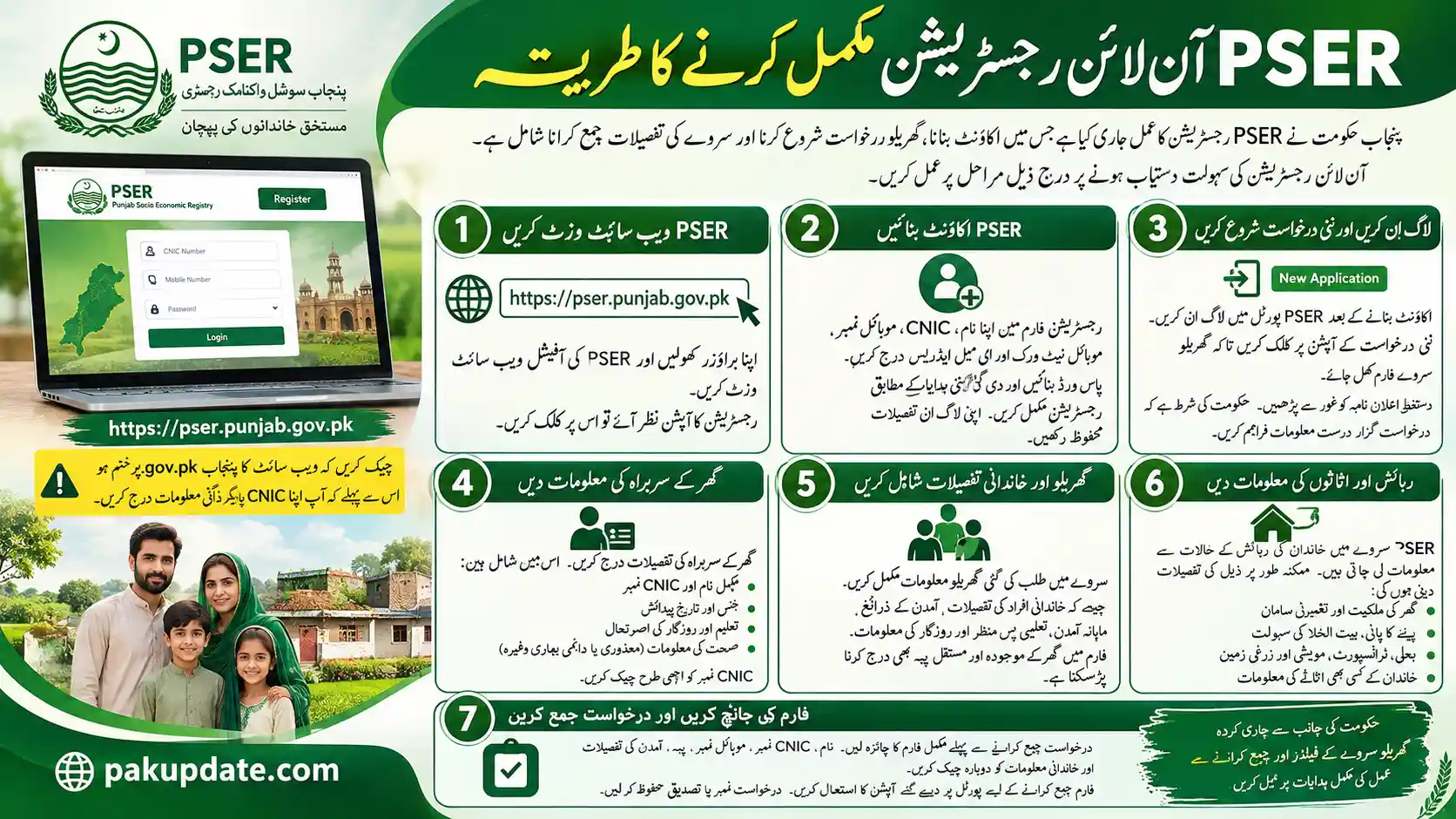
Step 1: Visit the official PSER website
Open your browser and visit:
Check that the website address ends in punjab.gov.pk before entering your CNIC or other personal information. If registration is available, open the registration option to begin.
Step 2: Create your PSER account
The previously available registration form requested basic account information, including your name, CNIC, mobile number, mobile network, and email address.
Create a password and complete the registration process according to the instructions displayed. Keep your login details secure.
Step 3: Log in and start a new application
After creating your account, log in to the PSER portal. Select New Application to open the household survey form.
Read the declaration carefully. The government requires applicants to provide truthful information about their family and financial circumstances.
Step 4: Enter the head of family’s information
Provide the details of the person identified as the household head.
The application includes information such as:
- Full name and CNIC number.
- Gender and date of birth.
- Education and employment status.
- Health information, including disabilities or chronic illnesses where applicable.
Check the CNIC number carefully before proceeding.
Step 5: Add household and family details
Complete the household information requested in the survey. You may need to enter details about family members, income sources, monthly earnings, educational background, and employment.
The form also asks about the household’s current and permanent addresses.
Step 6: Provide housing and asset information
The PSER survey collects information about a family’s living conditions. Applicants may be asked about home ownership, housing materials, drinking water, toilet facilities, electricity, transport, livestock, and agricultural land.
Provide the actual details of your household, including any property or assets owned by family members.
Step 7: Review and submit your application
Review the completed form before submitting it. Check the names, CNIC numbers, mobile number, address, income details, and family information.
Submit the application using the option displayed on the portal. Save any application number or confirmation provided.
The government’s published instructions explain the household survey fields and submission process.
Other ways to register for the PSER survey
People who cannot complete the online form may be able to use government-supported registration methods, subject to current availability.
Registration centers
The Punjab government established registration centers across the province to collect household information.
Residents can ask the provincial helpline about their nearest center and whether it is currently accepting new registrations or corrections. Take your CNIC and any relevant household documents.
Door-to-door household survey
Punjab has also conducted a door-to-door socio-economic survey.
Survey teams collect household information directly from residents. The Bureau of Statistics Punjab published notices and staff recruitment information for the 2025 survey across the province.
If a survey team visits your home, verify the representative’s identity before sharing personal information.
Also Read> Green Property Certificate Apply Online in Punjab
How to check PSER registration status
Applicants who previously created an online account may be able to review their submitted application through the PSER login system.
To check your record:
- Open the official PSER website.
- Access the account login page, if available.
- Enter your registered credentials.
- Open your existing application or household record.
- Review any status information displayed.
The availability of account status features may change. If you cannot access your record, contact the Punjab government helpline for guidance.
Avoid entering your CNIC into unofficial websites that claim to provide an instant PSER approval result.
Which government schemes use PSER information?
PSER information can support eligibility assessments for social assistance programs in Punjab. Examples of programs that have used PSER information or included PSER-related eligibility conditions include:
| Government program | PSER relevance |
|---|---|
| Nigehban Ramzan Package | PSER household records have been used in assistance arrangements |
| Apni Chhat Apna Ghar | PSER registration and assessment criteria are part of published eligibility conditions |
| Rahmat Card | PSER information is used to identify and assess eligible widows and orphaned children |
Program requirements can change. For example, Punjab’s official Rahmat Card information explains that beneficiary identification uses both PSER and NADRA records.
Completing PSER registration does not guarantee financial assistance. Each government program assesses eligibility separately.
Common PSER registration problems
PSER website is not opening
Check your internet connection and confirm that you are visiting the correct official address. The portal may be temporarily inaccessible, or an online registration facility may be unavailable. If the problem continues, contact the provincial helpline.
CNIC information is rejected
Check that the CNIC number has been entered correctly. Use the same personal details shown on your identity document. If the system continues to reject the information, request guidance through an official support channel.
Forgot PSER account password
Open the official login page and look for an account recovery option. Follow the instructions displayed. If password recovery is unavailable, contact the official helpline.
Application was submitted with incorrect information
Avoid creating a duplicate household application without confirmation from the responsible department. Ask the helpline how to correct an existing record. The procedure may depend on the current survey arrangements.
Online registration option is missing
The portal may be displaying information about the registry without accepting new applications. Call 0800-02345 to ask whether registration or household updates are currently available.
Frequently asked questions
Is PSER online registration free?
The PSER household survey and government registration process have been provided free of charge. Applicants should avoid individuals or websites requesting payment to guarantee registration or welfare benefits.
Can I register for PSER using my mobile phone?
The previously available online process could be accessed through a web browser. Mobile users should visit the official portal and check whether the registration form is currently available.
What is the official PSER registration website?
The official PSER website is https://pser.punjab.gov.pk/. It is part of the Government of Punjab’s web domain.
Can I apply for PSER without a CNIC?
The published online registration process requires CNIC information for the applicant and household head. Contact the official helpline if you have an identity document problem.
What is the last date for PSER registration in 2026?
A new official deadline for online registration in October 2026 could not be confirmed. Contact 0800-02345 for the latest information about new registrations and household updates.
Does PSER registration mean I will receive financial assistance?
PSER maintains household information that government departments can use when checking eligibility. Financial assistance depends on the separate requirements and decisions of each program.