
How to Check BISP Balance Online by CNIC 2026
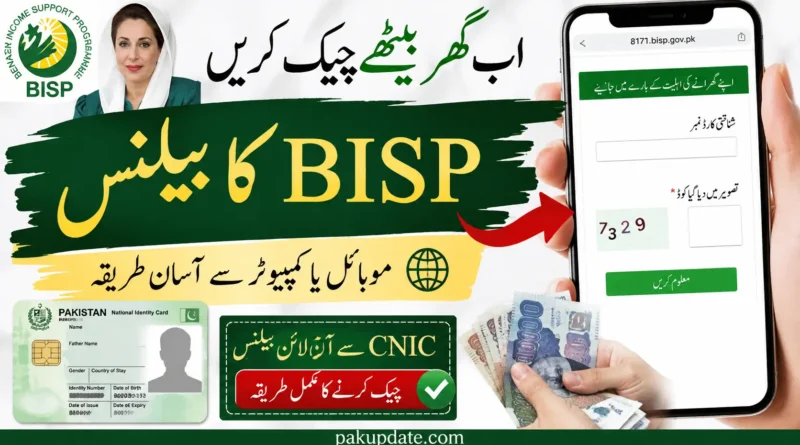
You can check your BISP eligibility and payment-related status through the official 8171 web portal at 8171.bisp.gov.pk. Enter your 13-digit CNIC, complete the captcha shown on the page, and submit the form. You can also use the official 8171 SMS service by sending your 13-digit CNIC to 8171 and following the response you receive.
One important point: “BISP balance check” is a common search term, but 8171 is not the same as a normal bank-account balance service. Depending on your record, the result may provide eligibility, registration, or payment-related information. It should not be assumed that the portal will always display a continuously updated rupee balance.
What Is BISP 8171 Status Check?
The BISP 8171 service allows beneficiaries and households to check information connected with their BISP record.
The official 8171 portal asks for a 13-digit CNIC and a verification code. The information returned depends on the current status of the household record.
It is useful to distinguish between these terms:
- Eligibility status: Information about whether your household meets the applicable BISP programme criteria.
- Payment status: Information about a payment when payment details are available for your record.
- Payment received: Confirmation that a beneficiary has actually collected or accessed a payment.
- Digital wallet information: Details related to the payment system being introduced by BISP.
So, if you search for BISP balance check online by CNIC, think of the 8171 service primarily as an eligibility and payment-status checking system, rather than a bank account showing a permanent cash balance.
How to Check BISP Status Online by CNIC
The official 8171 portal is the first place to check your BISP record online.
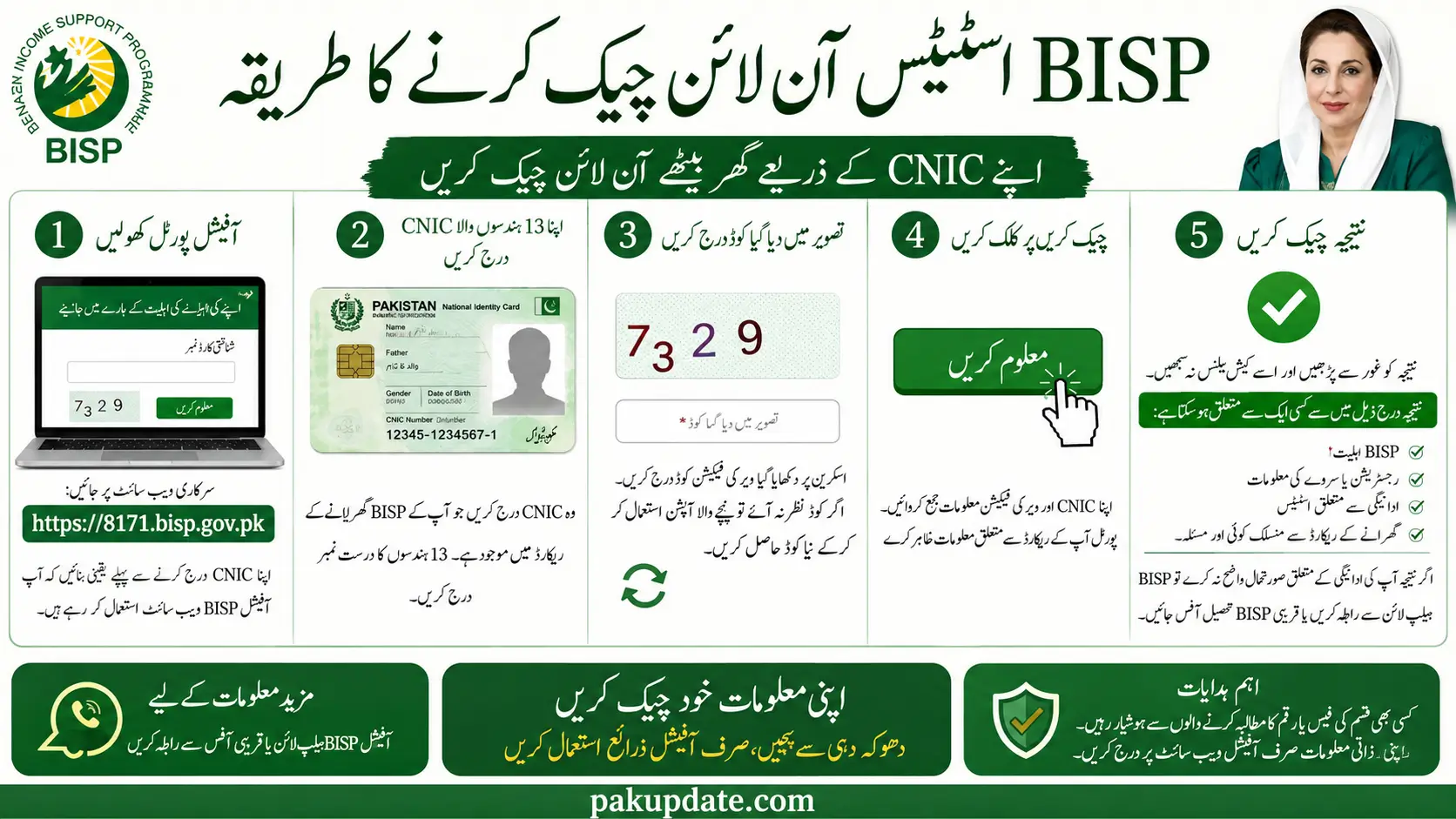
Step 1: Open the Official 8171 Portal
Go to: https://8171.bisp.gov.pk
Make sure you are using the official BISP website before entering your CNIC.
Step 2: Enter Your 13-Digit CNIC
Enter the CNIC number connected with your BISP household record. Use the required 13-digit number as shown on your CNIC.
Step 3: Enter the Captcha
Type the verification code displayed on the page.
If the code is difficult to read, use the available option on the portal to generate another verification code.
Step 4: Submit the Check
Submit the CNIC and verification information.
The portal will display the information currently available for your record.
Step 5: Check the Result
Read the result carefully instead of assuming it represents a cash balance.
It may relate to:
- BISP eligibility
- Registration or survey information
- Payment-related status
- Another issue connected with your household record
If the result does not explain your payment situation, contact BISP through its official helpline or visit a BISP Tehsil Office.
How to Check BISP Status Through SMS 8171
Yes, you can use 8171 SMS to check BISP-related status information. Send your 13-digit CNIC to 8171 and follow the official response.
Steps
- Open the SMS or messages app on your phone.
- Enter your 13-digit CNIC.
- Send the CNIC to 8171.
- Wait for the response.
- Read the information provided in the official message.
BISP uses 8171 for beneficiary communication. Be careful with messages that claim to be from BISP but come from other numbers.
This article does not claim that the SMS service is free on every mobile network because that should be confirmed with your network operator or current BISP instructions.
What Your 8171 Result Means
The exact wording shown by the 8171 system can depend on your record. The following explanations can help you understand the general meaning without treating them as fixed portal messages.
Eligible
An eligible result generally means your household or record meets the applicable criteria for the relevant BISP programme.
However, eligibility does not automatically mean that a payment has already been released.
Payment Information Available
If payment-related information appears, review the details shown by the official system. Do not assume that an eligibility result and a payment-release result mean the same thing.
No Record Found
If the 8171 system cannot find a record for your CNIC, do not immediately assume that you have been permanently rejected. BISP guidance indicates that households without a record can visit a BISP registration desk at a Tehsil Office for the household survey.
Not Eligible
A not-eligible result means that the current record does not meet the applicable eligibility requirements. A single PMT figure should not be treated as an automatic guarantee of eligibility or rejection.
Record or Survey Issue
If your result points to a record, survey, or registration problem, contact BISP or visit the relevant Tehsil Office for guidance.
What to Do If Your BISP Payment Is Not Showing
If you believe you should have received a BISP payment but the expected payment information is not showing, first check your CNIC again through the official 8171 system. If the problem continues, your record may require further review.
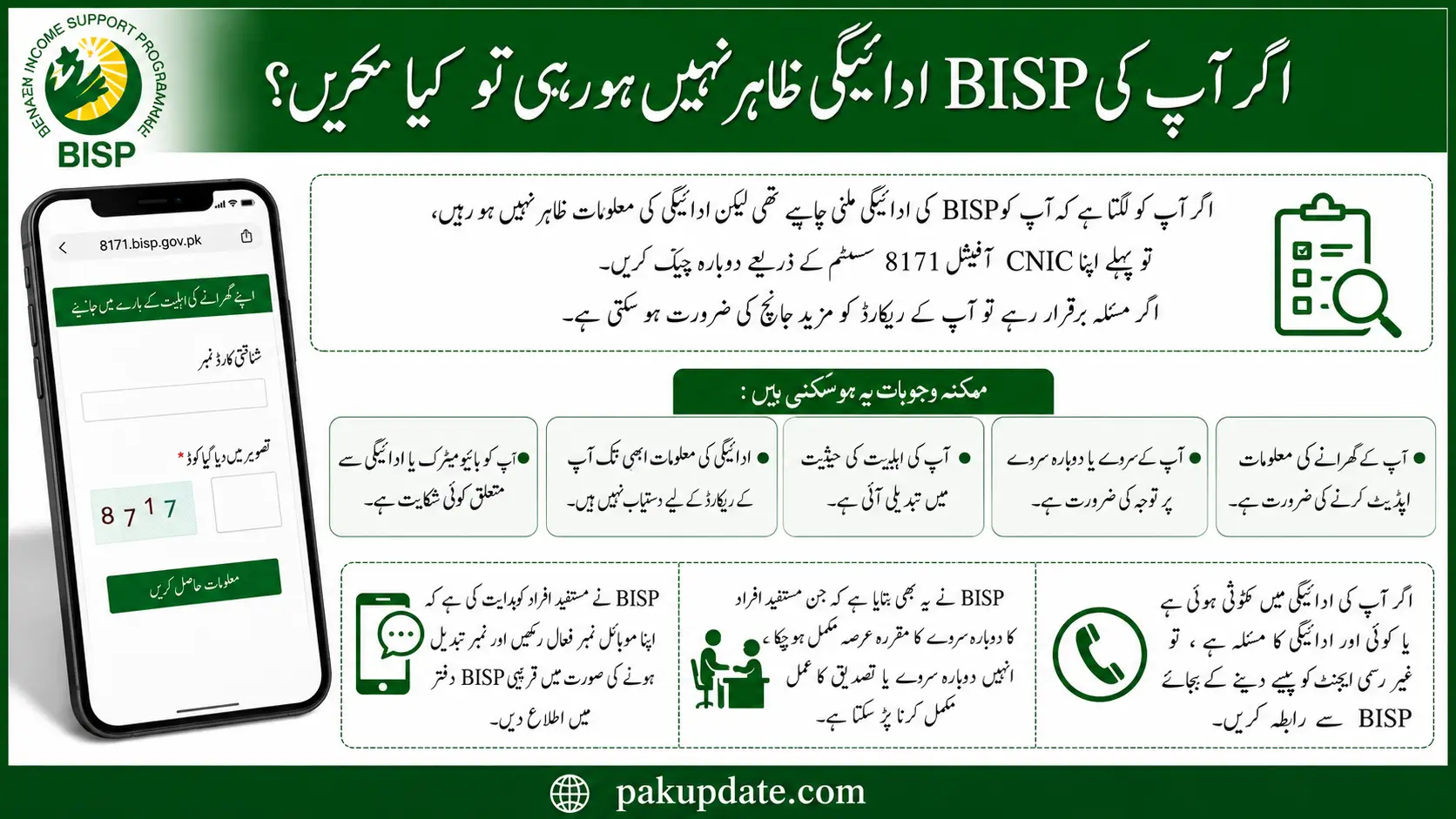
Possible reasons can include:
- Your household information needs updating.
- Your survey or re-survey requires attention.
- Your eligibility status has changed.
- Payment information is not yet available for your record.
- You have a biometric or payment-related complaint.
BISP has advised beneficiaries to keep their mobile number active and report a changed number to the relevant BISP office. BISP has also stated that beneficiaries who have completed the applicable period for re-survey may need to undergo the required re-survey or recertification process.
If you have a payment deduction or another payment complaint, contact BISP rather than paying an unofficial agent to resolve it.
How to Check or Update Your BISP Record
Some problems cannot be resolved through an online CNIC check alone. Visit a BISP Tehsil Office if you need help with:
- A missing household record
- Registration or survey issues
- Changes in household information
- A changed mobile number
- Payment complaints
- Biometric problems
- Other issues that require your record to be reviewed
BISP states that registration and survey services are provided through its official channels. Do not pay an individual who claims they can guarantee registration, eligibility, or payment release.
BISP Digital Wallet and Payment Update 2026
BISP is introducing a Digital Wallet payment system as part of changes to how beneficiaries receive payments. BISP announced the distribution of free mobile SIMs to eligible women for digital accounts and described the new payment system as part of its efforts to improve payment transparency and access.
BISP has also announced an interoperable payment system through which beneficiaries can use available banking channels under the new arrangements. The digital-wallet system is being implemented in stages. Therefore, do not assume that every BISP beneficiary currently has the same wallet, SIM, or payment method.
If you receive an official instruction about a digital wallet or Benazir SIM, follow the instructions provided by BISP. For questions about your own payment arrangement, contact BISP or visit a Tehsil Office.
How to Receive BISP Payments
The payment method available to you depends on the current BISP payment system and your beneficiary record.
BISP is moving toward digital-wallet and interoperable payment arrangements. Beneficiaries should therefore follow the official instructions connected with their own record rather than relying on general claims about a particular bank, agent, ATM, or payment point.
If your payment is shown as available, follow the collection instructions provided through official BISP channels.
Keep your original CNIC available when identification is required.
If you experience a deduction, biometric problem, or another payment complaint, report it through BISP’s official complaint channels.
BISP Helpline and Tehsil Office
If the 8171 portal or SMS check does not resolve your problem, contact BISP directly.
BISP Helpline: 0800-26477
Use the helpline for assistance or complaints related to your BISP record and payment issues. You can also visit your nearest BISP Tehsil Office when your issue requires an in-person review.
A Tehsil Office may be appropriate for problems involving:
- Registration
- Household surveys
- Record updates
- Payment complaints
- Biometric issues
- Missing or incorrect information
Do not pay an unofficial person to process your BISP record.
Common Problems During 8171 Check
My CNIC Shows No Record
Check that you entered the correct CNIC and are using the official 8171 portal. If the system still shows no record, contact BISP or visit a registration desk at a Tehsil Office.
The 8171 Portal Is Not Working
If the official portal is temporarily unavailable, try again later. Do not switch to an unfamiliar website simply because it promises faster results or a specific payment amount.
My Payment Is Not Showing
An eligibility result does not necessarily mean that a payment has already been released. Check the latest status available through 8171. If you believe there is a payment problem, contact BISP through 0800-26477 or visit a Tehsil Office.
My Mobile Number Has Changed
If your registered mobile number has changed, inform the relevant BISP office so your contact information can be updated according to the applicable procedure.
My Fingerprint Is Not Being Verified
Biometric problems may require assistance through the official payment or BISP channels. Do not pay an agent who claims they can bypass biometric verification.
How to Avoid BISP Scams
BISP beneficiaries should be careful with people who promise registration, eligibility, payment release, or faster processing in exchange for money.
Follow these basic safety rules:
- Use the official 8171 portal for online checks.
- Use 8171 for official BISP SMS communication.
- Use 0800-26477 for BISP assistance and complaints.
- Do not pay anyone for BISP registration or survey services.
- Do not share OTPs, PINs, or other sensitive payment information with strangers.
- Be cautious about WhatsApp messages claiming that a BISP payment is waiting for you.
- Do not enter your CNIC on unfamiliar websites.
- Do not give an agent control of your phone or payment account.
- If someone demands money to release a BISP payment, report the issue through official BISP channels.
The safest approach is simple: verify BISP information through official channels before taking action.
Frequently Asked Questions
How can I check my BISP payment status by CNIC?
Open 8171.bisp.gov.pk, enter your 13-digit CNIC and the captcha shown on the page, then submit the check. Review the eligibility and payment-related information returned for your record.
How can I do a BISP balance check online by CNIC?
Use the official 8171 portal. However, remember that an 8171 check is not the same as viewing a normal bank-account balance. The available result may show eligibility or payment-related status rather than a continuously updated cash balance.
What should I do if 8171 shows no record?
If your CNIC does not produce the expected record, contact BISP or visit a BISP registration desk at a Tehsil Office for guidance about your household survey or registration.
Does BISP charge a fee for registration or survey?
BISP states that registration and survey services are provided through its official channels without a registration or survey fee. Be cautious if anyone asks you for money for these services.
Does a specific PMT score automatically qualify me for BISP?
No. A PMT score should not be presented as an automatic guarantee of BISP eligibility. It is part of the eligibility framework, while the final decision depends on the applicable programme criteria and household record.
How do I know whether a BISP message is genuine?
BISP identifies 8171 as its official number for beneficiary messages. Treat messages from other numbers with caution and verify important information through the official 8171 portal or BISP helpline.
Does every BISP beneficiary have a digital wallet?
No. The digital-wallet payment system is being implemented as part of BISP’s payment-system changes. Do not assume that every beneficiary currently has the same wallet, SIM, or payment method.
Conclusion
If you searched for BISP balance check online by CNIC, the official 8171 system is the right place to start. Open 8171.bisp.gov.pk, enter your 13-digit CNIC and captcha, and review the status available for your record.
Remember that 8171 is not a normal bank-account balance checker. Depending on your record, it may provide eligibility, registration, or payment-related information.
If your payment is not showing, your record has an issue, or you are facing a biometric or registration problem, contact BISP at 0800-26477 or visit a BISP Tehsil Office.
For your security, use official BISP channels, avoid paying agents for registration or payment release, and never share sensitive payment information with unverified people.

Pingback: EOBI Registration Check by CNIC 2026 – Verify Your Status Online
Pingback: BISP Mobile Registration Van 2026 | Eligibility & Process
Pingback: Benazir Taleemi Wazaif 2026: Eligibility & Stipend
Pingback: BISP SIM & Wallet Registration 2026 – Free Benazir SIM & 8171 Guide